Myntra Clone Using React
Project Images :-
Project Description :-
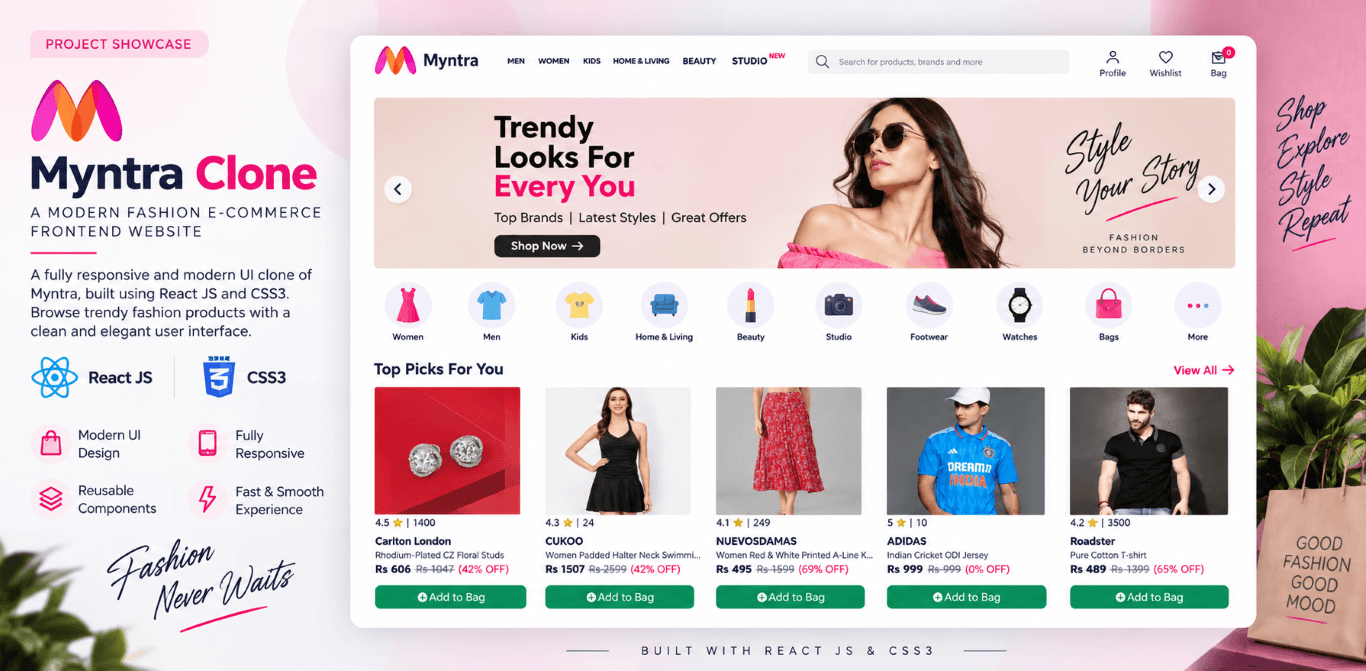
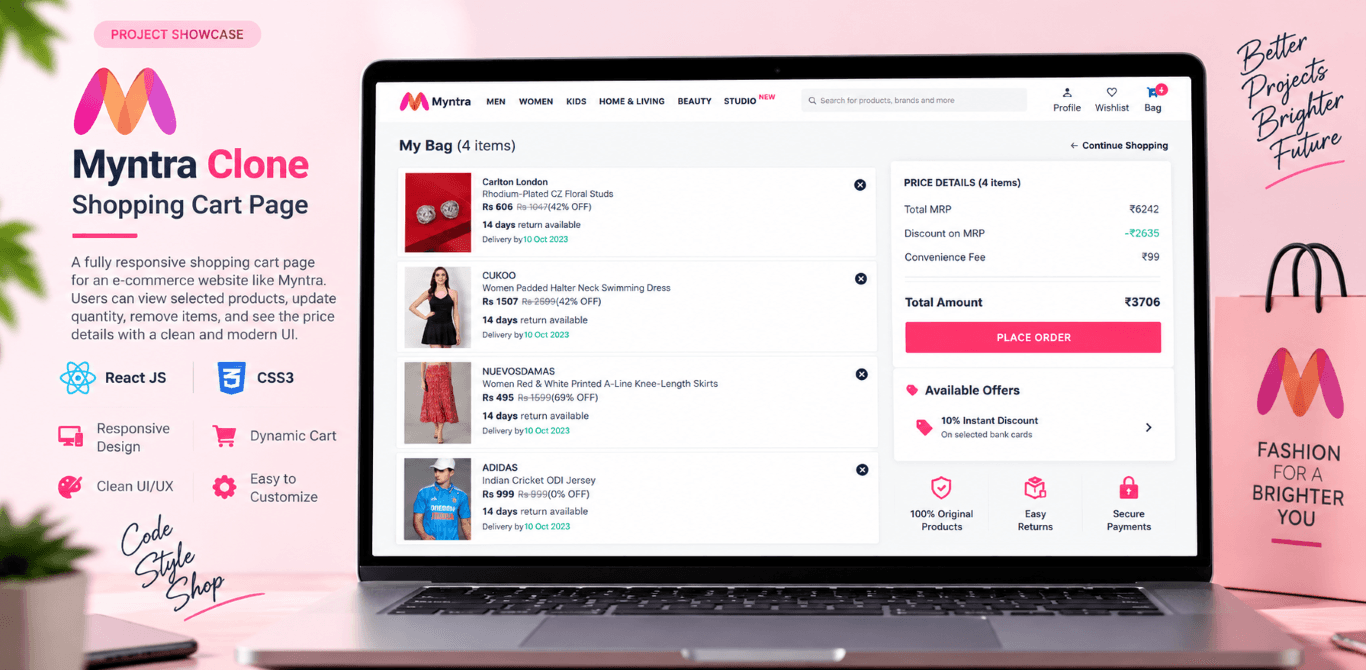
The Myntra Clone is a fully functional and visually appealing e-commerce website built using React.js. This project aims to replicate the shopping experience of Myntra by implementing key e-commerce functionalities, including product browsing, cart management, and dynamic price calculations. The homepage displays a well-structured product listing, allowing users to explore various fashion categories. Users can add products to their shopping cart with a simple click. The functional cart page provides a smooth shopping experience by showing selected items, their quantities, and total pricing calculations in real-time. A cross-symbol delete feature is included, enabling users to quickly remove unwanted items from the cart. The pricing is dynamically updated as users add or remove products, ensuring accurate total cost calculation. The project efficiently utilizes the useState hook for state management, making the cart system interactive and responsive. For styling, CSS3 is used to maintain a clean and modern UI, ensuring a visually engaging and mobile-friendly design. The layout is optimized for a seamless user experience, allowing shoppers to navigate effortlessly between different sections. This Myntra Clone is a great demonstration of React&asop;s capability in building scalable and interactive e-commerce interfaces while maintaining performance and efficiency.
Key Features :-
- Displays available fashion products in a structured grid format.
1. Product Listing Page
- Allows users to add products to their shopping cart effortlessly.
2. Add to Cart Button
- Displays all selected products with real-time updates.
3. Functional Cart Page
- Users can remove individual items from the cart.
4. Remove from Cart Button
- A quick way to remove items using an intuitive delete icon.
5. Cross Symbol Delete Feature
- Automatically updates total pricing as items are added or removed.
6. Dynamic Price Calculation
- Ensures smooth and responsive cart interactions.
7. State Management using useState Hook
Technology Use :-
- React.js - For building a dynamic and interactive user interface.
- useState Hook - Manages cart state and updates UI dynamically.
- CSS3 - Provides a clean, modern design.